
 |
�@ |
Getting Start Guide
START CONSOLE
Connecting Modules
Window Control
Controling Plug-In's
Parameter by using MIDI CC
Plugin Mode
Extra Modules


|
Getting Start Guide Contoroling Pulg-In's Parameter by using MIDI CC 1. Connect to cc pin from MIDI IN module or Pulug-In's MIDI out. 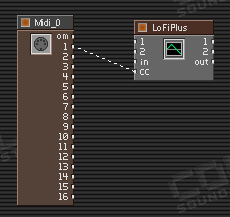 2. Open the module property. Then open the list window 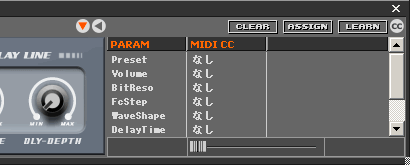 2. If you use a MIDI Controller, select any paramerter as you like, and tweak MIDI controller. Recieved by MIDI signal, CONSOLE assign MIDI CC# automatically. 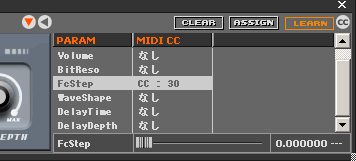 3. Or select a parameter. Click the clumn of MIDI CC. Select a MIDI CC# from pulldown menu. 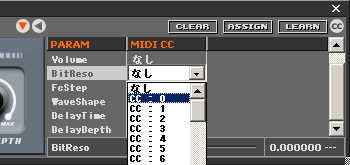 4. Finaly you can control a parameter. 5. Push the [cc] bottun, Plug-in can recieve MIDI CC directly. So Plug-In can recieve modulation, pedal and etc. 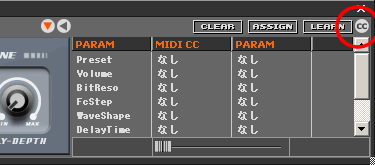 |

VST PlugIn Interface Technology by Steinberg Media Technologies AG.
ASIO Interface Technology by Steinberg Media Technologies AG.
Microsoft®, Windows®, DirectX® are either registered trademarks
or trademarks of Microsoft Corporation.